
Lead Tracking Software: The Complete Guide for Field Business Owners
A phone rings while you’re under the sink. You let it go to voicemail.
A text asking for a quote comes in while you’re driving. You flag it to reply later.
By the time you get home, those leads are buried. And just like that, potential jobs slip away.
If you run a field service business (HVAC, plumbing, landscaping), leads are your lifeline. But here’s the truth: most service businesses lose quality leads every single week.
It’s not because you’re not great at what you do. It’s because your tracking system is broken. Juggling sticky notes, unread texts, and messy spreadsheets means you're leaving money on the table. For every dollar spent on lead tracking software or a CRM system, businesses see an average return of $8.71.
This guide is for you. Let’s break down what sales lead tracking is, why your current method is costing you, and how to fix it for good.
What Is Lead Tracking Software?
Sales lead tracking software helps you capture, organize, and follow up on every potential customer from the first contact to the final outcome. In plain terms, it answers three critical questions:
Where did this lead come from?
Has anyone followed up?
Did it turn into a job?
For field service businesses, software for sales lead tracking is less about fancy sales pipelines and more about not letting good jobs slip through the cracks.
1. What “Lead Tracking” Really Means for Service Businesses
A lead is anyone who needs your help, whether it's a homeowner calling about a broken AC or a contractor messaging you on Facebook.
Sales leads tracking means every one of those inquiries gets logged, assigned, and followed up on properly. No more jobs lost to forgotten texts or busy days. It ensures work doesn't slip through the cracks.
2. Lead Tracking vs. CRM vs. Sales Tracking
Feature/FocusLead Tracking SoftwareCRM SoftwareSales Tracking SoftwarePrimary PurposeCapture and manage incoming opportunitiesManage long-term customer relationshipsTrack revenue, conversions, and sales performanceMain Use CaseMaking sure no new lead or inquiry is lostMaintaining customer history and ongoing relationshipsMeasuring how well sales efforts turn into revenueTypical UsersSmall & mid-sized field service businesses, operations teamsSales teams, account managers, customer supportSales managers, business ownersKey Data TrackedNew leads, inquiries, job requests, follow-upsCustomer profiles, communication history, past jobsDeals, close rates, revenue, sales metricsFocus StageBefore the job is wonAfter and beyond the first jobDuring and after the sales processComplexity LevelSimple and focusedOften complex and feature-heavyModerate, performance-drivenBest ForPreventing missed calls, forms, and job requestsBuilding long-term customer loyaltyImproving sales efficiency and forecastingCommon Problem SolvedLost leads and missed opportunitiesDisorganized customer informationLack of visibility into sales performanceIdeal FitBusinesses that need to stop losing jobsBusinesses with repeat customers and long sales cyclesBusinesses with dedicated sales teams
3. Why Spreadsheets, Notebooks & WhatsApp Stop Working
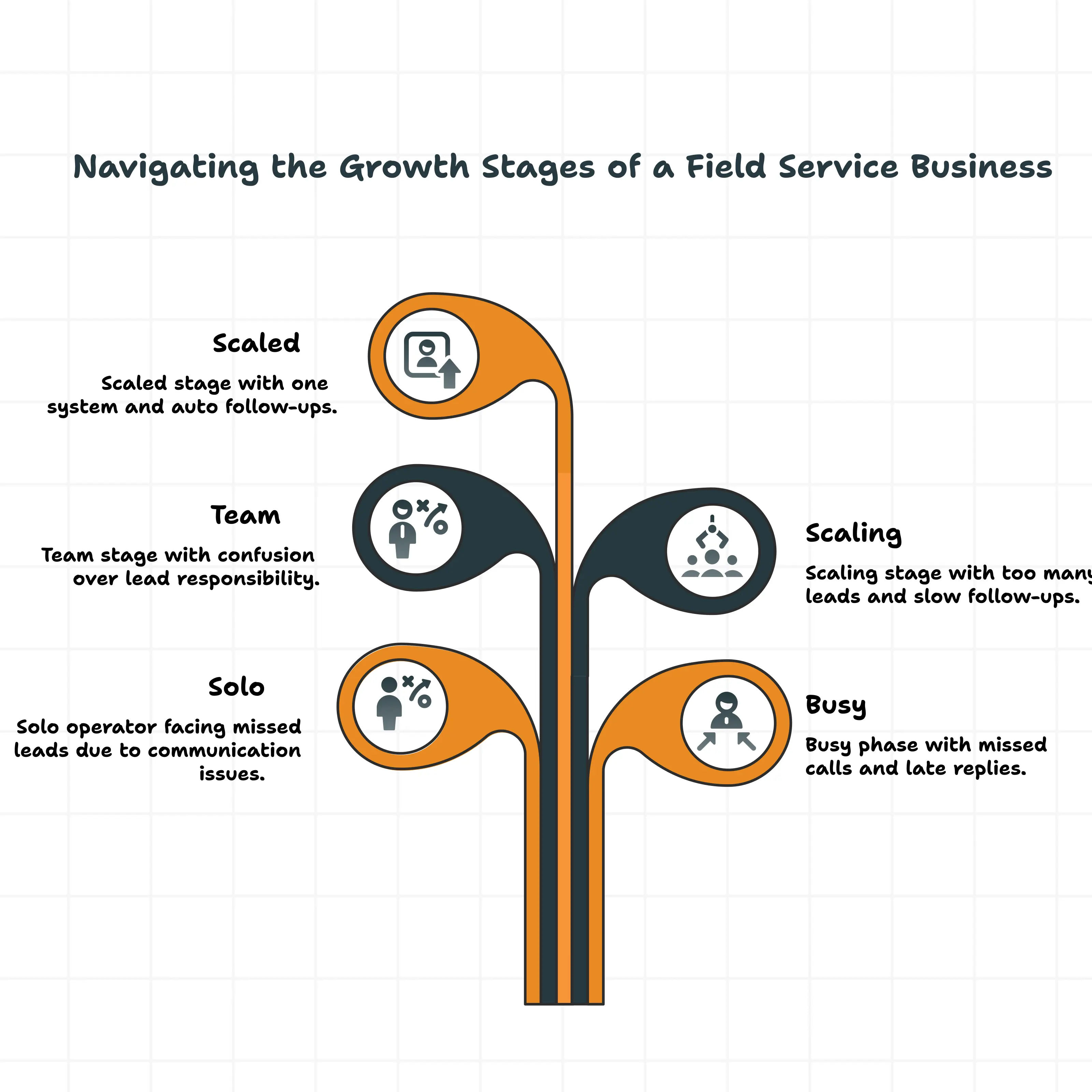
Most businesses start with simple tools, but problems arise when:
Calls come in after hours
Leads come from multiple channels
Follow-ups rely on memory
Spreadsheets and notebooks fail to keep up
As volume grows, these systems silently break, leading to lost revenue and more work with less payoff.
Why Field Service Businesses Lose Money Without Lead Tracking
A lack of simple lead management software doesn’t feel like an emergency until you do the math. Those losses happen quietly, one missed opportunity at a time.
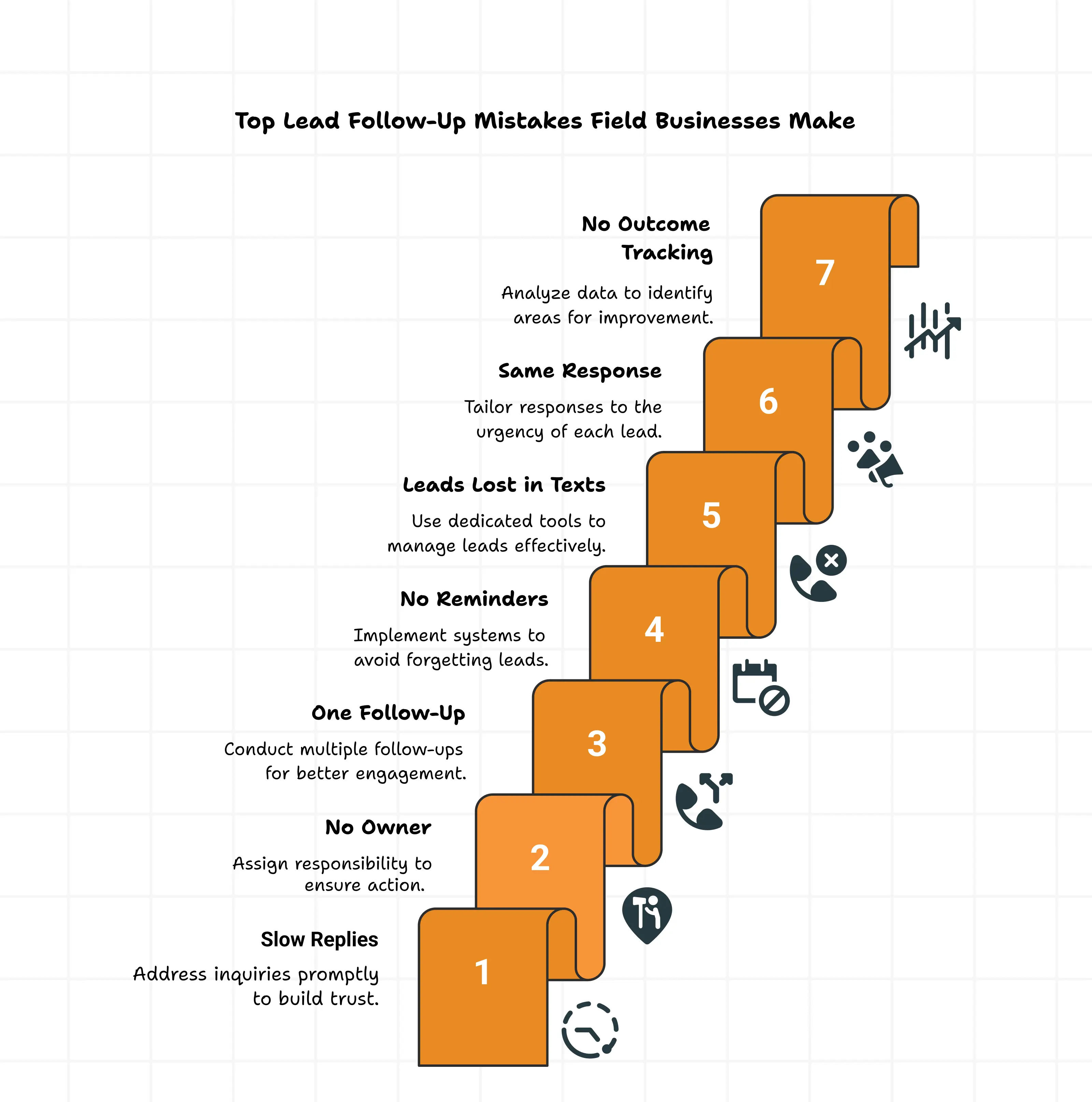
1. Missed Calls = Missed Paychecks
If a call goes unanswered and no one follows up within the hour, that lead is gone. They’ve already moved on to the next guy on the list. Without tracking, you’re essentially burning cash without even knowing it.
2. No Follow-Ups = Lost Jobs
Not every book leads instantly. Customers compare quotes, shop around, or just get busy. If you don't have a sales lead tracking app nudging you to check in, those leads die on the vine. Often, a quick text two days later is the only difference between "maybe later" and "see you Monday."
3. Not Knowing Which Ads Actually Work
Running ads without sales lead tracking software is a gamble. You might be spending a fortune on Facebook while just hoping for the best. Tracking separates the "just looking" crowd from the high-value jobs that keep your lights on. Why not cut the dead weight and only pay for what actually works?
4. The Real Cost of Poor Sales Lead Tracking
The biggest expense isn't software; it's opportunity loss. Poor tracking leads to lower close rates, lower revenue per tech, and more stress for you.
The truth? Without sales tracking software for small businesses, you’re working harder, not smarter. Sales leads tracking isn’t just a "nice to have"; it’s how you unlock your business’s true potential.
How Lead Tracking Works (Step-by-Step)
Lead tracking doesn’t need to be complicated. It just needs to be consistent. Here’s how it works in practice:
Step 1: A Lead Comes In
Leads pour in from everywhere: phone calls, website forms, social media, and ads. The trick isn't just getting them; it's capturing every single one in one place. When they're all centralized, nothing slips through the cracks. It's the first step to turning chaos into conversions.
Step 2: The Lead Is Captured Automatically
Manual entry is where mistakes happen. A modern sales tracking system captures leads automatically, so nothing depends on memory. With the right software lead tracking tools, leads flow directly into a single dashboard instead of being scattered across sticky notes and spreadsheets.
Step 3: It’s Assigned to a Tech or Salesperson
Once a lead lands, it needs an owner. Is it a job for your best closer or the tech closest to the site? Assigning it creates instant accountability. No more "I thought you had it!" moments. Everyone knows who’s on deck, making sure that the fresh lead stays hot.
Step 4: Follow-Up & Status Tracking
Each lead moves through simple statuses: New, Contacted, Quoted, Scheduled, or Lost. Automatic follow-up reminders ensure no lead sits untouched for days.
Step 5: The Job Is Won or Lost
Once the job is closed, the outcome is recorded. This data becomes powerful over time. You start seeing close rates, response times, and lead value patterns without any guesswork.
It’s that simple. Consistent use of software for sales lead tracking eliminates missed opportunities and streamlines your entire business.
Key Features to Look for in a Sales Lead Tracking System
Not all sales tracking tools are built for field service. Some are made for office sales teams and just feel complicated. Here’s what actually matters:
1. Lead Capture from Everywhere
Your system needs to catch leads from google, facebook forms, and ads automatically. If it only handles forms but misses calls, you’ve still got gaps.
2. Simple Lead Management (Not a Complex CRM)
You need to see the basics at a glance:
Lead name
Contact info
Source
Status
Who it’s assigned to
If it takes a dozen clicks to update a lead, your team won’t use it.
3. A Mobile App That Works in the Field
You’re rarely at a desk. A good sales lead tracking app lets you check new leads, update a status, and follow up from anywhere. It’s a must-have when the owner is also on-site.
4. Automatic Follow-Up Reminders
Leads get cold fast. The software should know this and send automatic reminders so opportunities don't slip through the cracks. No more relying on sticky notes.
5. Sales Tracking & Job Value
Knowing which leads turn into actual money helps you spot your best opportunities and improve future estimates.
6. Reports That Make Sense
Good reports answer simple questions:
How many leads did we get?
How many did we close?
Where did the best ones come from?
If the reports are confusing, they won't get used.

7. Integrations That Connect Everything
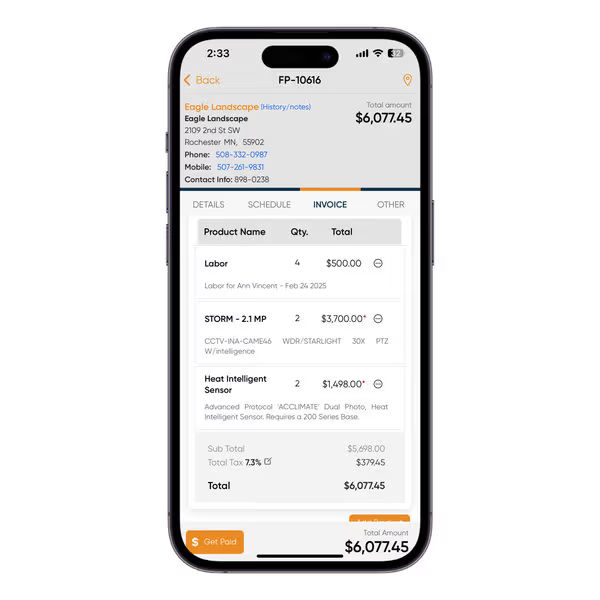
Sales lead tracking software works best when it talks to your scheduling and invoicing software. It reduces double-entry and keeps everything flowing smoothly as a lead becomes a job.

Lead Tracking Software vs Sales Tracking Software
Sales lead tracking software and software sales tracking are often confused, but serve different purposes. Lead tracking manages potential customers and inquiries, while software for tracking sales focuses on conversions, revenue, and performance. Knowing the difference helps you choose the right sales tracking tools to grow your business.
1. When You Only Need Lead Tracking
You mainly need sales lead tracking if:
You handle most sales yourself
Jobs are straightforward
You want better follow-up and visibility
2. When You Need Full Sales Tracking
Sales tracking becomes useful when:
You have multiple salespeople
Deal values vary widely
You need forecasting and performance data
3. What Small Service Businesses Actually Need
Most small field service businesses need strong sales lead tracking first. Software sales tracking can come later when volume justifies it.
Best Lead Tracking Software for Service & Field Businesses (2026)
1. Field Promax: Best for specialized field service workflows
Who it’s for: Business owners who need software for sales lead tracking that actually talks to their technicians and works in the real world.
Key Features
All leads captured in one place, no matter where they come from
Clear ownership so every lead has someone responsible
Simple follow-up reminders so nothing gets forgotten
Mobile access to check leads anytime, anywhere
Lead source visibility to see what actually brings in jobs
Quick status updates to track what’s moving and what’s stuck
Field Promax ensures that capturing, managing, and converting leads is easier, faster, and more effective for small service businesses with the right sales lead tracking app.
Pros: Built specifically for field service; incredibly easy to use on a tablet or phone; keeps your office and field crew on the same page.
Cons: Highly specialized for service trades, so it might be overkill for a simple retail shop.
2. Jobber: Best for high-volume scheduling
Who it’s for: Businesses where the calendar is the heart of the operation, and dispatching is the daily grind.
Key features: Online booking, automated quote follow-ups, and an integrated customer portal.
Pros: Excellent scheduling and dispatching interface; professional-looking quotes that help close leads.
Cons: The lead tracking can feel a bit secondary to the scheduling features; it can get expensive as you add more users.
3. Housecall Pro: Best for all-in-one simplicity
Who it’s for: The business owner who wants one tool to handle everything from the first "hello" to the final payment.
Key features: Marketing automation, "Book Now" buttons for your website, and seamless invoicing.
Pros: Very clean interface; easy for new staff to learn quickly; great integrated marketing tools.
Cons: Reporting features are a bit thin for "data nerds" who want deep analytics on lead sources.
4. Nutshell: Best for sales-heavy teams
Who it’s for: Companies with dedicated sales reps who spend their day working a pipeline rather than a wrench.
Key features: visual sales pipelines, automated email sequences, and deep contact management.
Pros: Highly visual and customizable; great for tracking long-term deals and complex sales cycles.
Cons: You might find yourself fighting the software to make it fit a standard field service workflow.
5. A Simple CRM (like Monday.com) - Best for total customization
Who it’s for: The DIY business owner who wants to build their own simple lead management software from scratch.
Key features: Drag-and-drop boards, customizable statuses, and basic automation.
Pros: Extremely flexible; can be adapted to almost any internal process.
Cons: It’s a "blank slate," meaning you have to build it yourself; it lacks built-in field features like dispatching or equipment tracking.
Best Lead Tracking App for Field Teams & Owners on the Go
In field service, sales lead tracking doesn’t happen at a desk. It happens in the truck, between jobs, or whenever a call comes in. That's why mobile access and a dedicated sales lead tracking app are so important.
1. Why Mobile Matters More Than Desktop
Most leads are time-sensitive. The first business to respond usually gets the job. If you can't see new leads instantly, update their status quickly, and follow up from the field, your whole sales tracking system breaks down.
Mobile-first tools like Field Promax, a top sales lead tracking app, let you manage leads without being chained to a desk. Checking leads or assigning follow-ups becomes part of the daily routine, not an extra chore.
2. Must-Have Mobile App Features
Good sales tracking software for a small business should offer:
Real-time notifications for new leads
Simple, one-tap status updates
Easy access to contact details for quick callbacks
Clear follow-up reminders
If an app is slow or clunky, your team won't use it.
3. Common Mobile Mistakes
Avoid these common pitfalls:
Relying only on email notifications
Using apps that are just scaled-down desktop versions
Forgetting to assign leads right away
Depending on one person's memory to track everything
Simplicity is key. A fast, lightweight tool with robust software for tracking sales turns lead tracking into a growth engine. That's why tools built specifically for field service workflows always win.
What Tools Are Most Useful for Tracking Mobile Mechanic Leads?
Mobile-focused service businesses need:
Call and form capture
Simple lead assignment
Fast follow-up tracking
Tools built specifically for field service workflows outperform generic CRMs in these situations because they reflect how work actually happens in the field.
Sales tracking that makes sense.
Once leads come in, software tracking sales is just as important as getting them. Good sales tracking shows you what’s working, so you can focus on the jobs that actually make you money.
1. Track jobs, not just leads.
Sales tracking should answer the important questions:
Which jobs are we closing?
What services bring in the most cash?
Where are deals getting stuck?
Connecting data from your sales tracking system directly to jobs keeps your tracking grounded in reality.
2. Know which jobs make the most money.
Not all jobs are equal, right? Software tracking sales helps you spot the trends:
Average job value per service
Which lead sources bring in the best work
How revenue changes over time
This info helps you double down on profitable services instead of just staying busy.
3. Track sales without a sales manager.
Most field service businesses don’t have a sales team. That’s okay. The right software sales tracking lets owners or dispatchers manage sales by making everything visible. Simple tracking builds accountability.
A system like this doesn't just save time; it helps you make smarter decisions. Every ounce of effort goes where it counts.
4. Simple Lead Management Software - What “Simple” Really Means
"Simple" is a word that gets thrown around a lot. But how many tools actually deliver?
Avoid the Over-Engineered CRM Trap
Warning signs include:
Too many fields to fill
Complex deal stages
Sales jargon that does not match service work
These systems slow teams down instead of helping them close more jobs.
Real Simplicity with Field Promax
Think of it as your control center. See every lead on one screen, track follow-ups without the headache, and update statuses in seconds. Your team should be closing deals, not managing software.
The "No-Fuss" Workflow
Lead lands in the system.
It’s assigned instantly.
You get a nudge to follow up.
You log the outcome.
Done. That’s all you need to keep the wheels turning and the revenue flowing.
How to Choose the Right Lead Tracking Software (Decision Guide)
Choosing the wrong tool wastes time, money, and patience.
Questions to Ask Before Buying:
How many leads do we get weekly?
Where do leads come from?
Who handles follow-ups?
Will my team use this?
Red Flags in Tools:
Complicated setup
Overloaded with dashboards
Built for corporate teams, not yours
Budget vs. ROI:
Cheapest isn’t best. A tool that closes an extra job or two often pays for itself. Effective sales tracking tools simplify your work, not complicate it.
Real-World Scenarios
Let’s look at how this plays out in the wild.
Real-World Use Cases
Here are realistic examples of how sales lead tracking plays out in the field.
1. HVAC Business Lead Tracking Example
An HVAC owner gets calls, web forms, and Google Ads leads. With sales lead tracking software, they see which ads actually turn into paying customers. No quote gets missed, and they book more jobs without wasting money on ads that don't deliver.
2. Plumbing Company Sales Tracking Example
A plumbing business uses software for tracking sales from the first call to the final invoice. They notice emergency calls close faster and pay more. So, they focus on after-hours service and watch revenue grow.
3. Electrical Contractor Follow-Up Example
An electrical contractor sends lots of quotes. Their software sales tracking reminds them to follow up three days later. The result? More quotes turn into jobs, just by making a phone call.
4. Traffic Control Service Business Example
A traffic control service tracks inquiries and learns that construction firms book more repeat work. Their simple lead management software helps them focus their sales efforts there, leading to steady, predictable growth.
Final Verdict - What We Recommend for Service Businesses
1. Who Should Use Simple Lead Tracking
If you’re tired of losing sticky notes and missing calls, this is for you. It’s built for small field service teams that want to close more jobs without the headache of complex software.
2. Who Needs Full Sales Tracking
Got a sales team? High-volume quotes? Massive commercial contracts? You'll need the deep-dive software tracking sales. It's for businesses that need to manage a crowded pipeline without breaking a sweat.
3. Why Field Promax Wins
Field Promax actually gets how service businesses run. Just smart lead capture, easy follow-ups, and a team that stays on the same page. It’s the perfect balance of simple and powerful.
Originally Published at - Field Promax (Lead Tracking Software Explained for Field Business Owners)
❤️
👍
💡
👏
😂
Explore More Posts

Start your delivery platform with our ready-made Lalamove clone script. Scalable, customizable, and packed with essential features: ✅ Real-time delivery tracking✅ Multiple vehicle and delivery options✅ Driver app with earnings dashboard✅ Flexible pricing and commission models 🎁 Limited-Time Offer: 50% OFF + Free Live Demo 👉 Explore the Demo: https://www.trioangle.com/lalamove-clone/ 📩 [email protected] | 📞 +91 6379630152 #LalamoveClone #DeliveryApp #OnDemandDelivery #LogisticsSoftware #DeliveryBusiness

Bohemian Peel and Stick Wallpaper for Beautiful Nurseries Give your home a fresh, stylish look with creative wallpaper designs from West Coast Walls. Bohemian peel and stick wallpaper adds warmth, personality, and artistic charm to bedrooms, living spaces, and accent walls. For a little one's room, removable wall decals for nursery create a playful and welcoming atmosphere without a permanent commitment. Explore beautiful patterns that blend comfort and creativity, making it easier to refresh your interiors and design a space that feels uniquely yours.

Bring supermarkets, local shops, and customers together with a Grocery Delivery Script from Trioangle Technologies. Launch your own branded grocery ordering platform and tap into Kenya's growing digital commerce opportunities. ✅ Customer app for easy grocery shopping✅ Store management and product catalog✅ Delivery partner app and order tracking✅ Secure online payment integration✅ Flexible commission-based revenue model 🔥 Get 50% OFF + a Free Live Demo! Whether you're targeting Nairobi, Mombasa, Kisumu, or other Kenyan cities, build a grocery delivery platform tailored to your business goals. [email protected]: +91 6379630152 🌐 https://www.trioangle.com/grocery-delivery-script/
Comments
Start the Conversation